
by Jyotsna R
Hi everyone,
Imagine your website is reachable for most users, but anyone on a specific ISP can't get through. Without provider-level visibility, that kind of issue is easy to miss and slow to diagnose. That's exactly what ISP-level monitoring is built to solve.
When enabled, Site24x7 runs availability checks through all available ISPs in a monitoring location. Each ISP is treated as an independent location check, giving you a granular view of where connectivity breaks down.
Key benefits
- Detect connectivity issues affecting specific ISPs.
- Reduce time to determine the root cause of an issue with provider-level availability data alongside your existing checks.
How it works
Follow these steps to enable ISP-level Monitoring:
- Log in to Site24x7.
- Open an existing Website Monitor or create a new one.
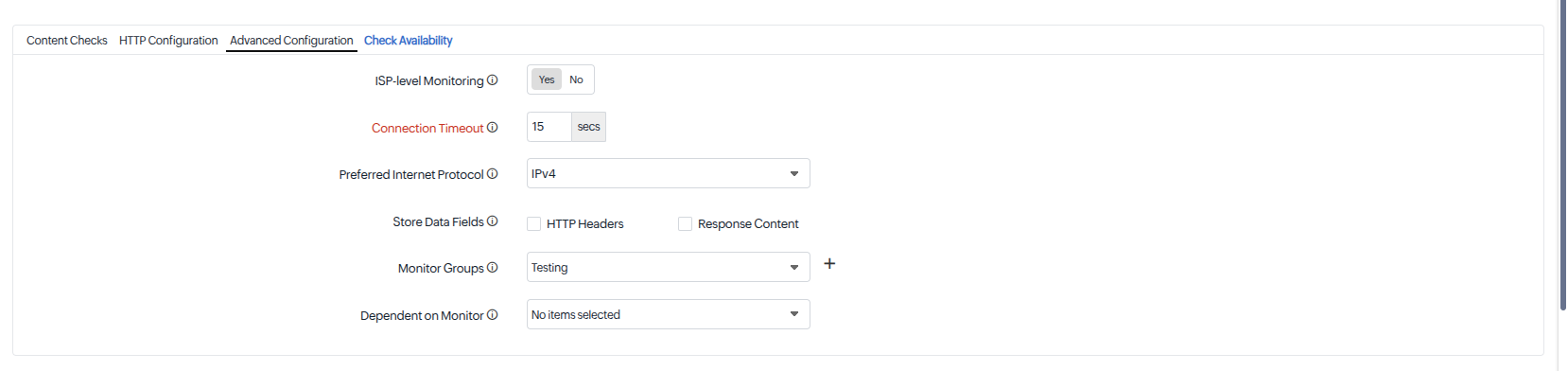
- In the monitor configuration page, enable the ISP-level Monitoring option.
- Click Save to apply the changes.
Once enabled, Site24x7 performs availability checks through all available ISPs in the selected monitoring location.

Note: Each ISP check counts as an independent location check and consumes additional monitor credits from your plan.
For more details, refer to the help documentation.
We'd love to hear your feedback and use cases in the comments below.
Best Regards,
The Site24x7 team
Like (0)
Reply
Replies (0)