by Jyotsna R
Hi everyone,
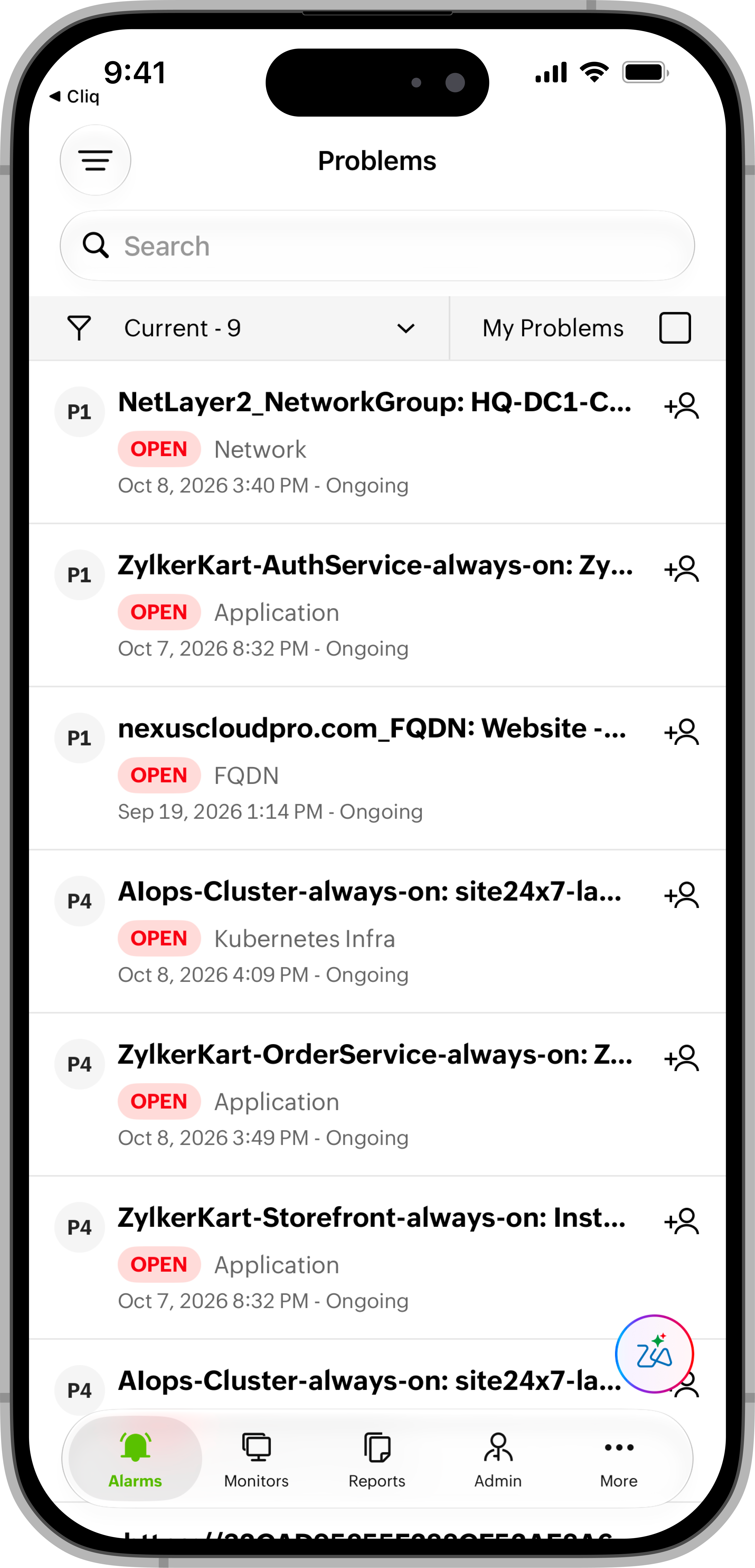
When you’re away from your desk, it can be harder to review related monitoring events and coordinate who will investigate them. You can now access Problems in the Site24x7 mobile app for both Android and iOS to review correlated events and assign technicians while on the go.
Benefits
With Problems in the mobile app, you can:
- View related events together: Review events grouped into a Problem to understand the broader issue.
- Investigate probable causes: Check Root Cause Analysis and event details from your mobile device.
- Understand the impact: View affected monitors and upstream or downstream dependencies.
- Assign technicians on the go: Assign a technician to a Problem from the app to support investigation and follow-up.
Why this matters
Accessing Problems from your mobile device helps you stay informed about issues while away from your desk. You can review the available details about a problem and assign a technician without waiting to return to your computer.
Getting started
Explore Problems in the Site24x7 mobile app to review correlated events, investigate probable causes, and assign technicians. Refer to our help documentation to learn more.
 |  |
Please share your feedback in the comments.
Best regards,
The Site24x7 team
Like (0)
Reply
Replies (0)