How we built iOS 27 into StatusIQ: Onscreen awareness, Siri actions through Spotlight, a one-stop widget for key information, and Liquid Glass optimization
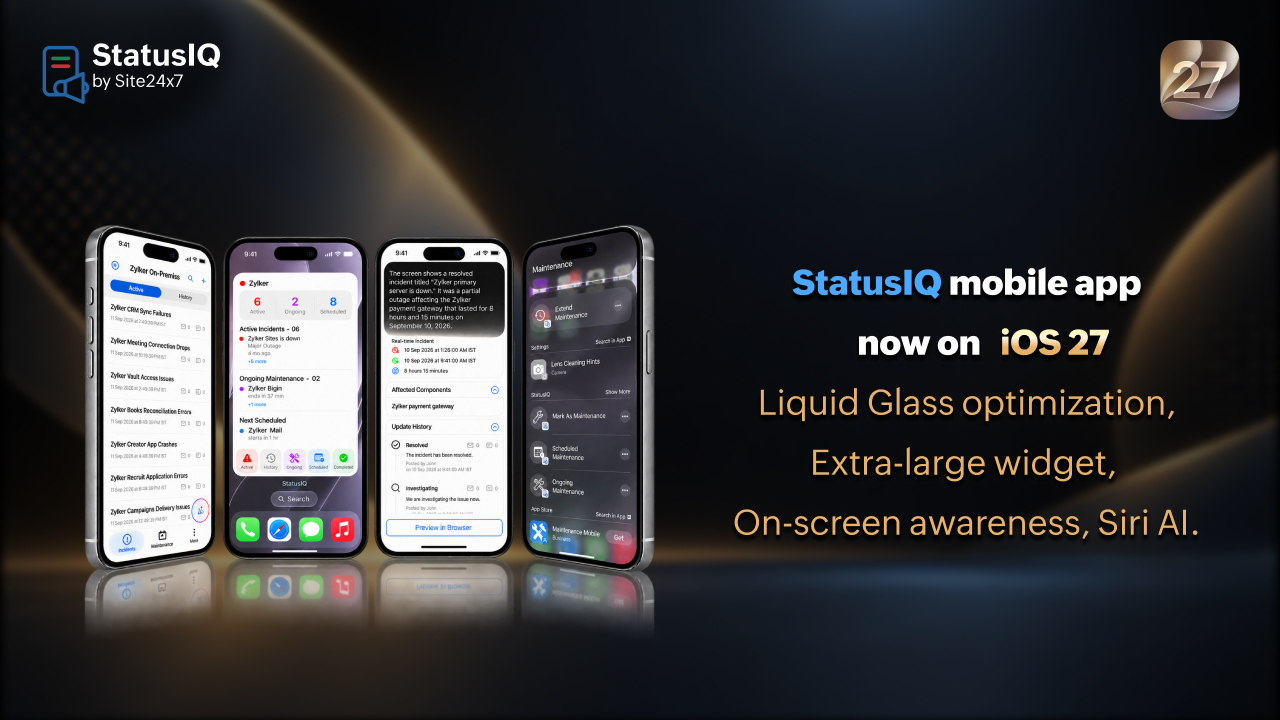
When an incident hits at 2am, every second of context switching adds risk. The latest StatusIQ iOS update is built around one principle: Get the right information and the right actions to your team faster, with less friction.
With iOS 27 support now live in the StatusIQ mobile app, here's what's changed and why it matters.
Onscreen awareness: Ask Siri to get the briefing
On any incident or maintenance detail page, you can invoke Siri AI and ask it to summarize what's on screen. You can ask something as direct as "Hey Siri, can you brief me on the Zylker Ops incident?" and get a spoken summary instantly, all without reading through the page manually.
Follow-up questions work too. If you want to dig deeper into an update or check the timeline, Siri can handle it in the same conversation. All conversations are saved automatically in the Siri app for reference.
This matters most during high-pressure incidents where an on-call engineer needs to come up to speed quickly, or when a manager needs a verbal status check while handling something else.
Siri actions through Spotlight: Manage incidents and maintenance without opening the app
iOS 27 brings a meaningful upgrade to what's possible from Spotlight, and StatusIQ now takes full advantage of it. Using Siri AI, you can perform key actions on incidents and maintenance pages directly through Spotlight, without opening StatusIQ.
From Spotlight, you can:
- Post a status update on an active incident
- Acknowledge or resolve an incident
- Extend a maintenance window
- Mark an incident as maintenance
- Search for a specific incident or maintenance window and open it directly
You can also create shortcuts for the most common actions and deploy them on your home screen. For incident responders who need to act fast while on the move, this removes the step of navigating into the app entirely.
Extra-large widget: Your operations board on the home screen
iOS 27 introduces an extra-large widget, and StatusIQ uses it as a full-page operations board. The widget surfaces:
- Active incidents, sorted by severity
- Ongoing maintenance windows
- The next scheduled maintenance window
Each entry is a one-tap link into the relevant detail view. For teams running a NOC desk display or engineers who want passive situational awareness without checking the app, the extra-large widget effectively turns the iPhone home screen into a live status board.
Liquid Glass optimization: Visibility that adapts to you
StatusIQ now supports iOS 27's Liquid Glass design system. The app's transparency and opacity automatically adapt to your system settings, so the interface stays legible whether you're on a bright home screen background or a dark NOC display. No manual adjustments needed.
Getting started
Update the StatusIQ app from the App Store to access all the features in the iOS 27 release. If you're new to StatusIQ, it's the hosted status page solution from ManageEngine Site24x7, built for teams who need to communicate incident and maintenance status quickly and clearly across every channel.
Comments (0)