
Elevate your MSP operations: Looking back at key Site24x7 features added in 2025
Managing multiple customer accounts as an MSP can be overwhelming. With the constant demands of configuring monitors, generating reports, and maintaining security across numerous customers, efficiency becomes critical. Throughout this year, we've focused on making your life easier with powerful new features that automate repetitive tasks, enhance security, and give you better visibility into customer health.
These updates reflect what we've heard from you: that you need centralized control, time-saving automation, and scalable management tools. Here's how our latest MSP enhancements enable you to meet your SLAs faster.
Automate monitoring with Configuration Rules
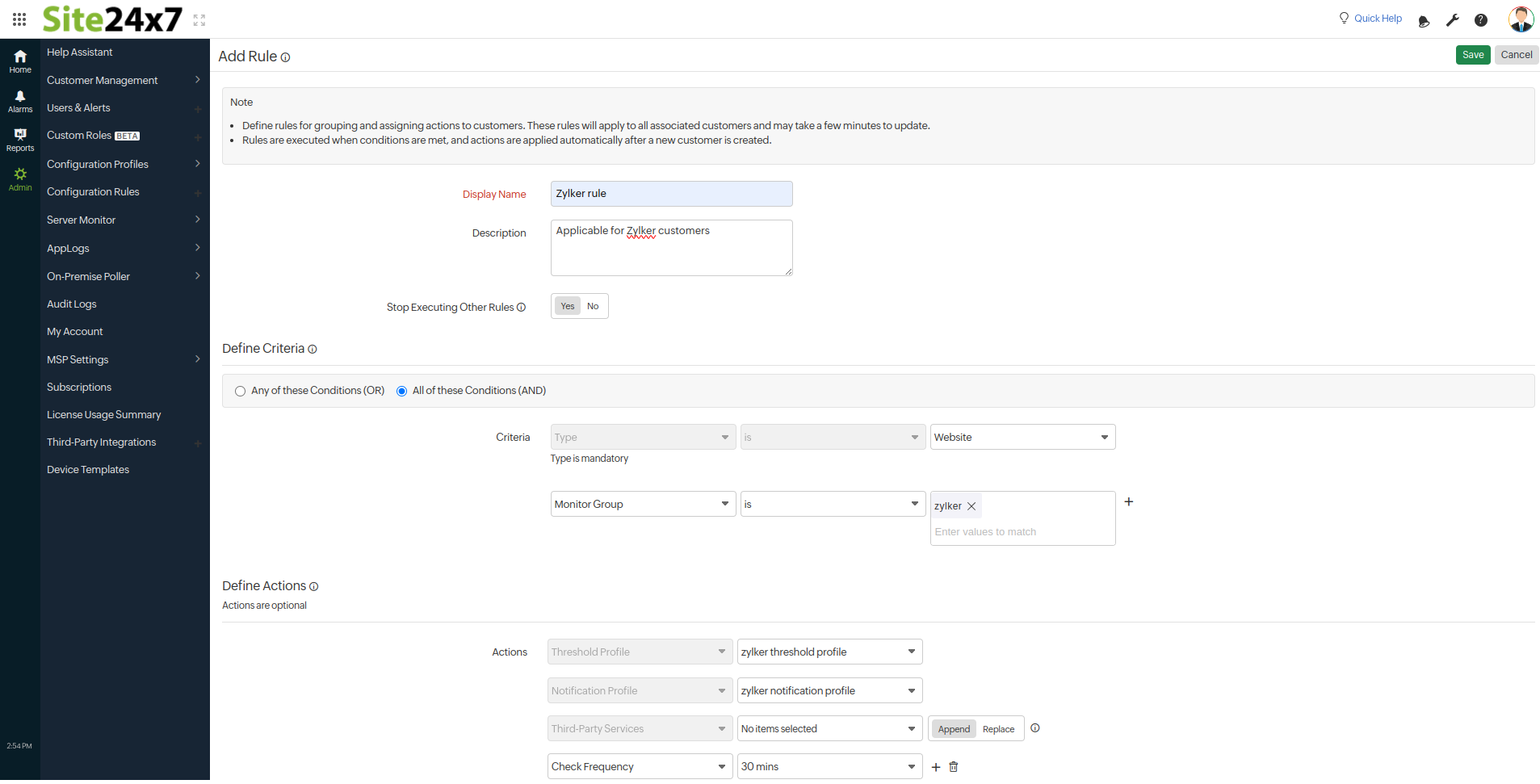
Setting up monitors consistently across multiple customer accounts used to take hours of repetitive configuration. With Configuration Rules, you can create rules once at the MSP level that automatically apply settings across all your customer accounts. Whenever a customer adds a new monitor that matches your criteria, the rule is automatically activated. This eliminates manual intervention, reduces onboarding time, and minimizes errors.
Scale customer insights effortlessly with Scheduled Reports
Your team needs regular performance insights, but sending reports manually for each MSP account can be time-consuming. With Scheduled Reports, you can automate this process, delivering updates on your chosen schedule: daily, weekly, monthly, or quarterly. You can customize reports for individual customers or generate consolidated reports across all or selected customer accounts or groups. This delivers data-driven decisions with actionable insights and saves time.
Strengthen security with multi-factor authentication for white-labelled portal accounts
Security breaches can damage an MSP's reputation. Multi-factor authentication (MFA) adds a crucial security layer for customer accounts without complicating access for legitimate users. As an MSP, you can enforce MFA across all customers to ensure that any unauthorized access undergoes an additional verification step, strengthening protection. This enhances security, builds customer trust, and demonstrates your commitment to protecting their data.
Accelerate customer configurations with Bulk Action
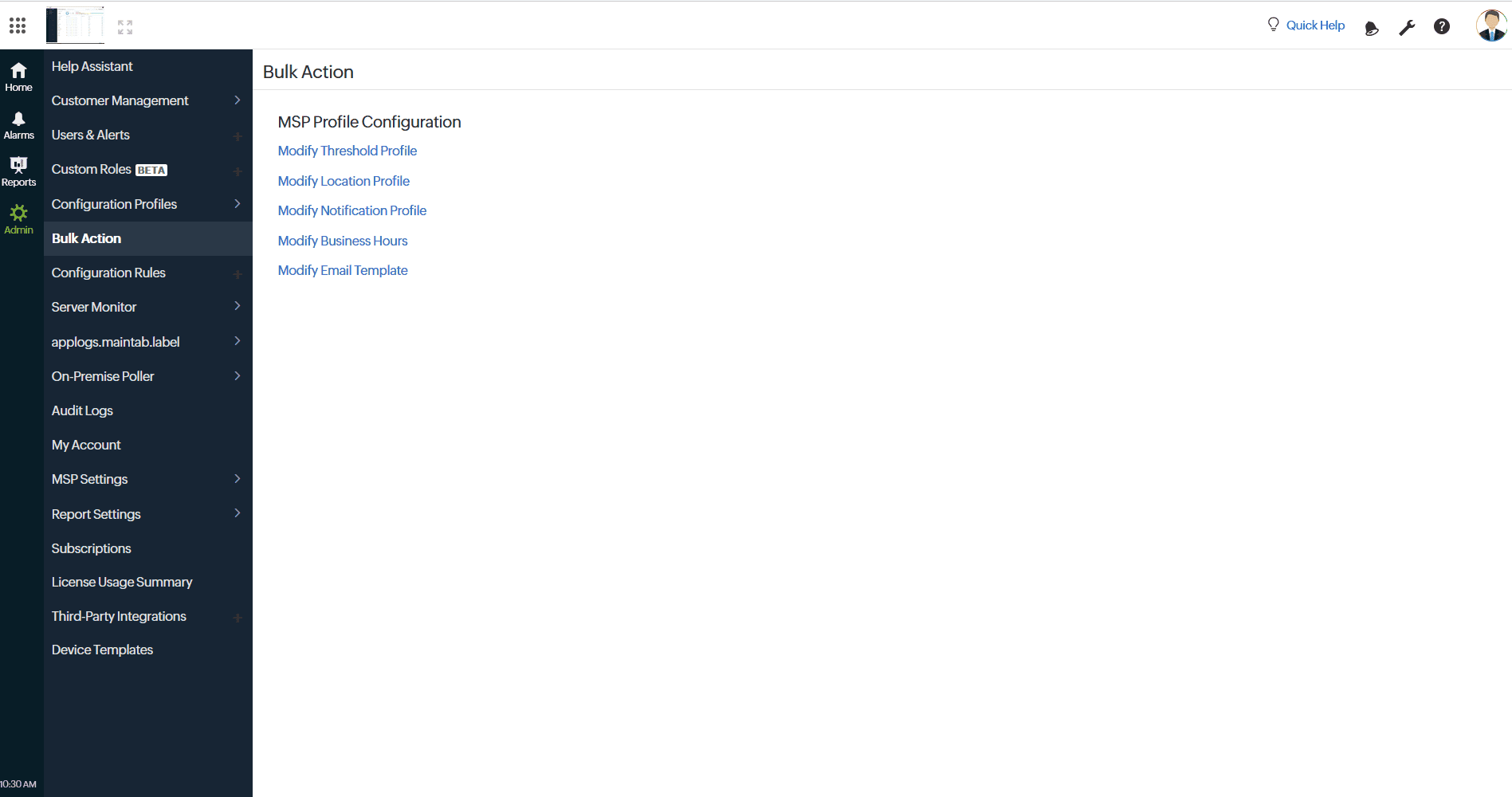
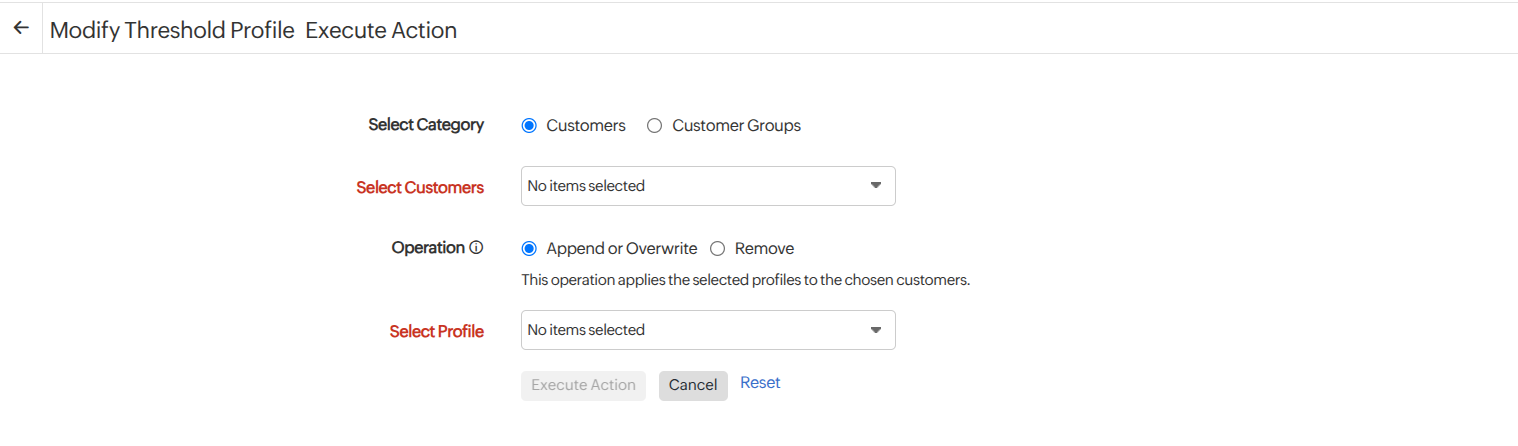
Managing configurations across dozens of customer accounts individually is tedious and unsustainable as your MSP grows. Bulk Action lets you update multiple customer accounts simultaneously from a single interface. Whether changing alert escalations or business hours, updates can be rolled out in minutes. This maintains consistent configurations across customers, and provides flexibility to apply custom actions tailored to different client needs.
Augment customer visibility with Customer Health View
When managing multiple customers, identifying problems promptly is crucial. The revamped Customer Health View provides a real-time dashboard that turns multi-customer data into clear, actionable insights. Switch between grid and list views, and access alarms with a single click to prioritize issues and resolve them quickly. This enables proactive monitoring, provides visual clarity through intuitive charts, and facilitates more effective resource prioritization.
Control access precisely with Custom Roles
Implementing role-based access control (RBAC) helps MSPs enhance security by granting users access only to necessary resources. Defining Custom Roles and permissions ensures clear responsibility separation, reducing risks while maintaining flexibility. With Site24x7's RBAC, MSPs can assign tailored roles to administrators, technicians, and clients for precise monitoring control. By protecting client infrastructure and sensitive data, you can strengthen and reinforce client trust.
Simplify data reuse with Global Parameters and tags
Repeated configuration values across customers' monitors can waste time and create inconsistencies. Global Parameters let you define values once and reuse them across monitors, templates, and notifications for all customers. This standardizes operations, simplifies onboarding, and enables easy updates at scale. Organize monitors across your customer accounts with custom metadata labels—tags for smarter resource management and discovery.
Route alerts to the right teams with User Alert Groups at the MSP level
Sending alerts to the right people prevents fatigue and ensures fast response times. With User Alert Groups you can organize users into teams and route notifications precisely where they’re needed—all at the MSP level. Alerts and reports are automatically routed to the right people, eliminating the need for manual setup, thereby facilitating targeted communication and improving mean time to resolve.
Looking ahead
In 2025, we listened closely to the challenges you shared and delivered updates designed to simplify MSP operations, improve visibility, and reduce manual effort across your customer environments. Each feature addresses real challenges we've heard from MSPs like you—the need to do more with less time while maintaining high service quality.
As our MSP monitoring platform continues to evolve, you can expect even more capabilities that help you scale confidently and manage complex environments with ease. Be sure to explore what’s new to stay up to date on the latest MSP feature releases and enhancements. And if you’re ready to see how these improvements come together in real-world scenarios, now’s a great time to experience our MSP monitoring platform in action.
Comments (0)