
Introduction
Gaps in network monitoring often happen when traffic analysis or configuration monitoring is added to a device after it has already been onboarded for network performance monitoring. By enabling NetFlow and Network Configuration Management (NCM) during device discovery, Site24x7 begins collecting data the moment a device appears. You skip extra setup, avoid piecing together fractured views, and immediately gain a complete picture of network health, performance, and compliance.
Unified network discovery: Use cases and benefits
- Capacity planning and performance optimization: With NetFlow active from the start, Site24x7 captures flow data instantly. You see top talkers, heavy protocols, and traffic conversations across your network without waiting weeks for trends. Spotting bandwidth hogs early helps you fine-tune capacity planning and keep applications running smoothly. Site24x7 supports NetFlow v5 and v9, J-Flow, sFlow, IPFIX, NetStream, AppFlow and CFlow, ensuring compatibility across most enterprise routers and switches. This flexibility enables detailed traffic analysis across both legacy and modern infrastructure.
- Security and compliance auditing: Enabling NCM during discovery means configuration backups start on day one. Every change to a router or switch is logged automatically. If a misconfiguration or unauthorized change slips through, Site24x7’s backup versioning makes comparing, auditing, and rolling back straightforward and compliance ready. Additionally, our tool uses secure communication protocols, such as SSH, Telnet, and SNMP (depending on device support), for configuration retrieval and upload. Configurations are encrypted at rest and in transit while rollback is performed via authenticated device-level access, ensuring secure restoration. Site24x7 supports major vendors like Cisco, Juniper, Fortinet, Palo Alto Networks, and HP, enabling uniform backup and compliance workflows.
- Operational efficiency: Networks grow fast. Scheduled discoveries with NetFlow and NCM ensure every new device inherits the same monitoring and backup standards. This eliminates repetitive onboarding tasks, reduces errors, and keeps monitoring consistent—even as your infrastructure expands or changes vendors. Credential validation during discovery uses a combination of SNMP (for performance metrics) and SSH or Telnet (for configuration access). Site24x7 automatically retries validation with alternate credentials and reports mismatches, helping maintain continuous discovery without manual intervention.
How Site24x7 enables complete network visibility
Site24x7 simplifies network monitoring by uniting discovery, traffic analysis, and configuration management in a single workflow.
- Unified discovery workflow: Add IP ranges, incorporate specific devices, and upload CSV lists with NetFlow and NCM enabled on the same page.
- Immediate traffic analysis: Track traffic immediately as NetFlow collects flow data right after discovery, highlighting bandwidth usage, top talkers, and protocols.
- Automated configuration backups: Automate configuration backups with NCM to version device configurations instantly, ensuring compliance and quick restoration after errors.
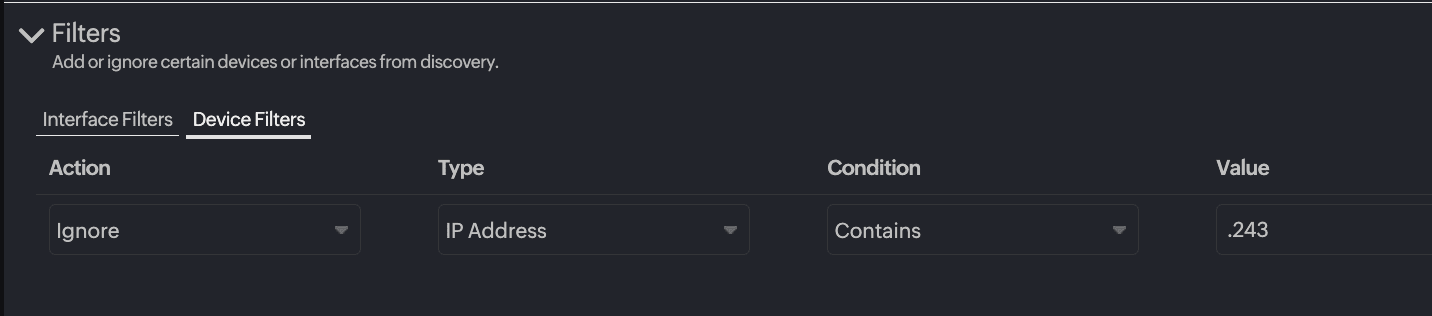
- Customizable filters: Customize device and interface filters to exclude irrelevant ports and devices, minimizing noise during monitoring.
- Bulk actions and scheduling: Run or schedule discovery profiles and update credentials or templates in bulk for efficient management. Each discovery profile can support up to 500 devices per execution, with template associations limited by device type to ensure consistent configuration application at scale.
- Centralized reporting: View centralized Discovery Reports displaying NetFlow and NCM statuses across devices, making additions and adjustments easy.
Best practices for network teams
Follow these best practices to receive accurate discovery results and reliable monitoring:
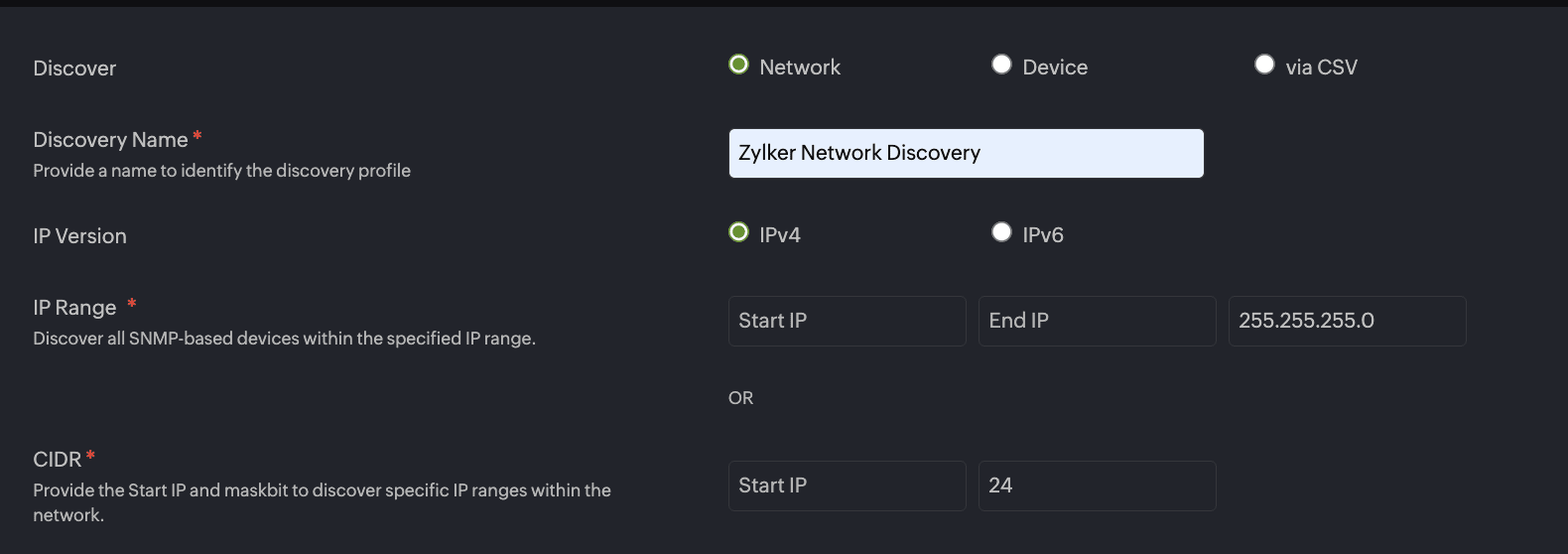
- Define a precise discovery scope: Use targeted IP ranges or
Classless Inter-Domain Routing (CIDR) blocks to avoid scanning broad ranges and
irrelevant devices. These can slow discovery down and clutter your inventory.
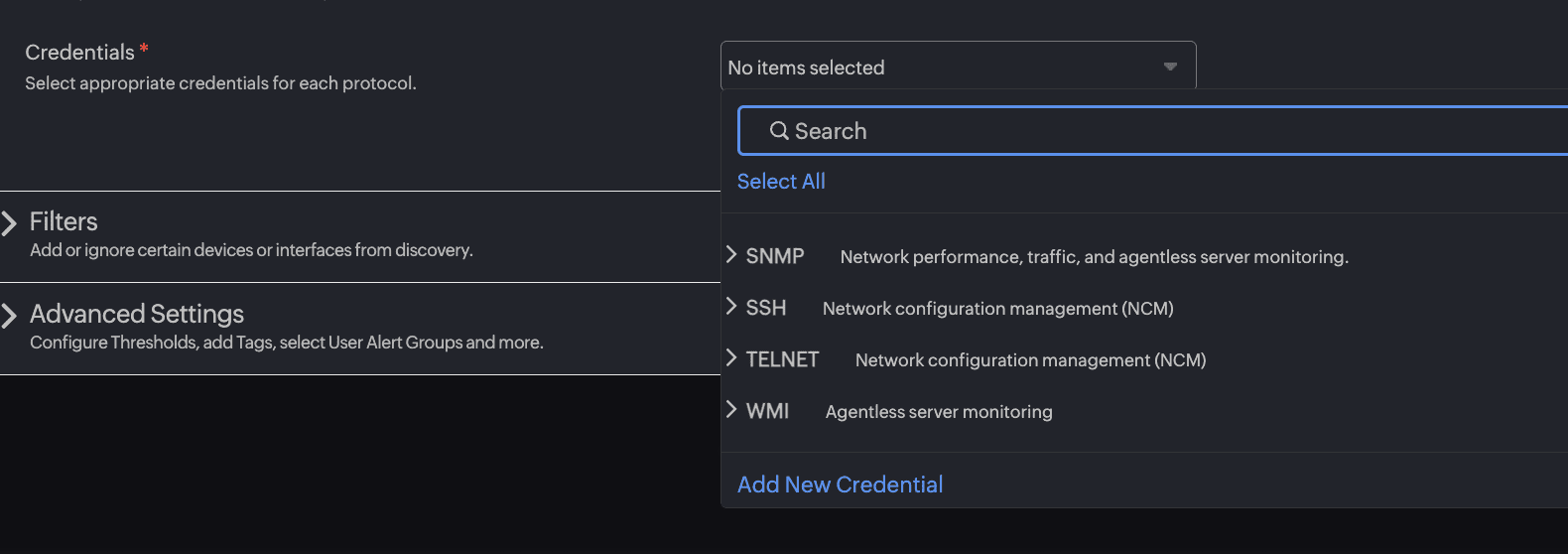
- Validate and secure credentials: Test SNMP, SSH, or Telnet
credentials beforehand. Use least-privilege access to reduce security risks
while enabling NetFlow and NCM functions.Use SNMPv3 where possible for encrypted
communication and configure SSH with key-based authentication for stronger
security.
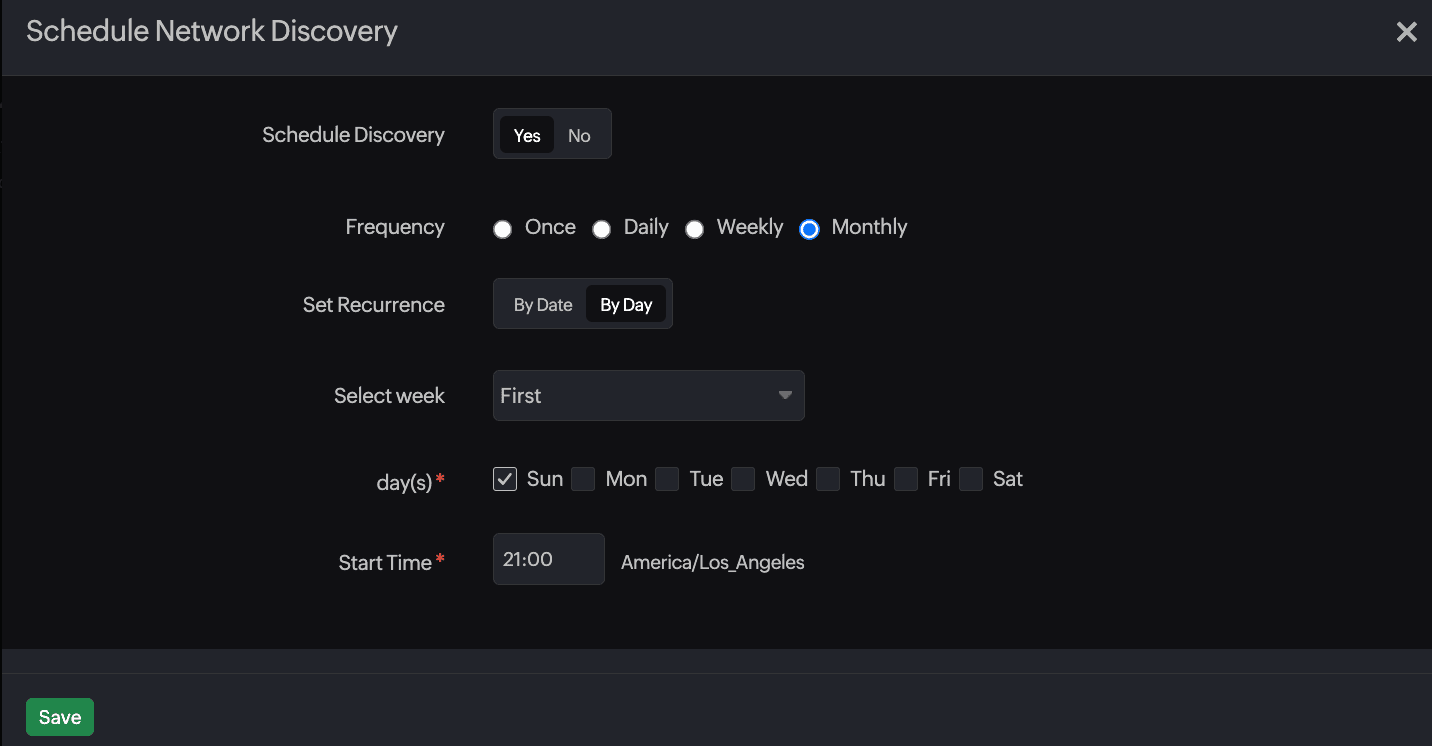
- Enable scheduled discovery for consistency: Automate
discovery so new devices are onboarded and monitored without manual effort.
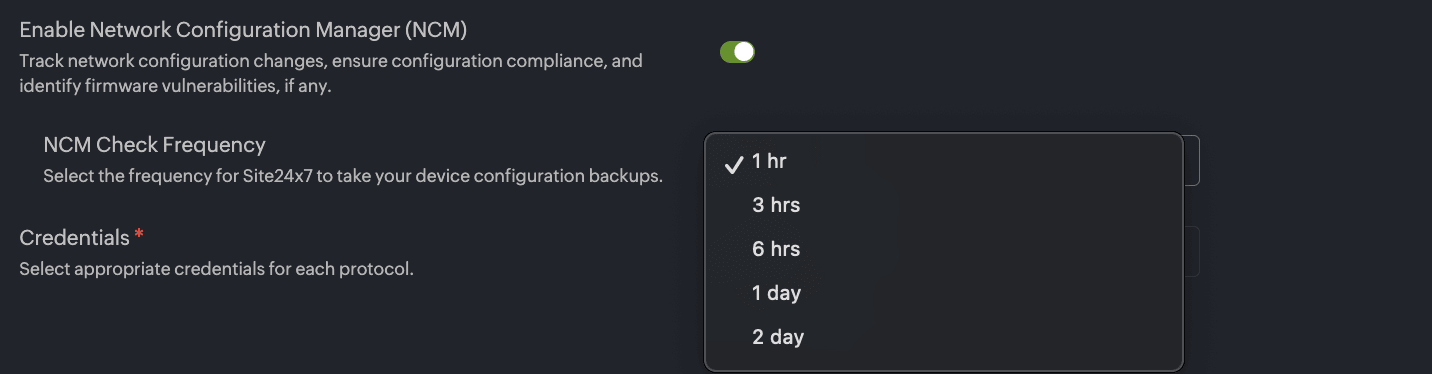
- Optimize NCM backup frequency: Set backup intervals based on
how often your network changes. Use shorter intervals for dynamic environments
and longer intervals for stable ones.For example, every six to 12 hours for
dynamic core devices and once daily or weekly for stable edge devices. Site24x7
also supports adaptive backup scheduling that triggers backups after
configuration changes are detected.
- Use device and interface filters effectively: Exclude
loopbacks, management-only ports, or virtual interfaces to keep reports focused
on meaningful data.
- Monitor NetFlow data volumes: NetFlow can generate large
datasets. Review storage capacity, adjust sampling (if needed), and set alerts
when usage exceeds defined thresholds. You can also adjust sampling rates in
device configurations to balance detail with data load.

- Leverage bulk actions for efficiency: Use bulk updates for
credentials and templates to save time and keep settings consistent.

- Schedule discovery during low-traffic windows: Running scans
during off-peak network usage reduces the chance of affecting network
performance.

Troubleshooting guidance
The table below explains a few common issues, their causes, and resolutions.
| Issue | Cause | Resolution |
|---|---|---|
| No NetFlow data collected | Device doesn’t support NetFlow or profile settings are incorrect | Verify device support, credentials, and profile settings. Ensure the NetFlow exporter is configured with the correct Site24x7 collector IP and port |
| NCM backups failing | Wrong credentials or template mismatch | Check credentials, protocol, and NCM templates. Confirm that SSH or Telnet access is enabled on the device |
| Too many irrelevant devices/interfaces | Filters or ranges are too broad | Refine IP ranges or apply stricter filters |
| Collector misconfiguration | Incorrect NetFlow collector IP or firewall blocks traffic | Verify collector details and ensure UDP ports are open for NetFlow versions in use |
| Device time synchronization issues | Clock skew between collector and device affects timestamps | Sync device clocks with Network Time Protocol (NTP) and confirm collector time zone alignment |
| Advanced troubleshooting | Persistent issues or missing data | Contact Site24x7 Support with the respective log files for deeper analysis |
Say no to fragmented visibility with Site24x7
Enabling NetFlow and NCM during discovery with Site24x7 turns a fragmented process into a single, powerful workflow that gives crystal clear visibility across your network. From the first scan, you will see traffic patterns, track configuration changes, and keep your network compliant—all without extra steps. This approach reduces manual work, speeds up troubleshooting, and ensures every device is monitored to the same standard the moment it is discovered, eliminating the risk of partial monitoring.
